
AI Hairstyle Changer —— Try a new hairstyle before you sit in the salon chair.
Upload a clear portrait, pick a haircut, or type the style you have in mind. Preview short hair, bangs, curls, color, fades, or a cleaner work look on your own face.
1. Upload portrait
Your hairstyle preview
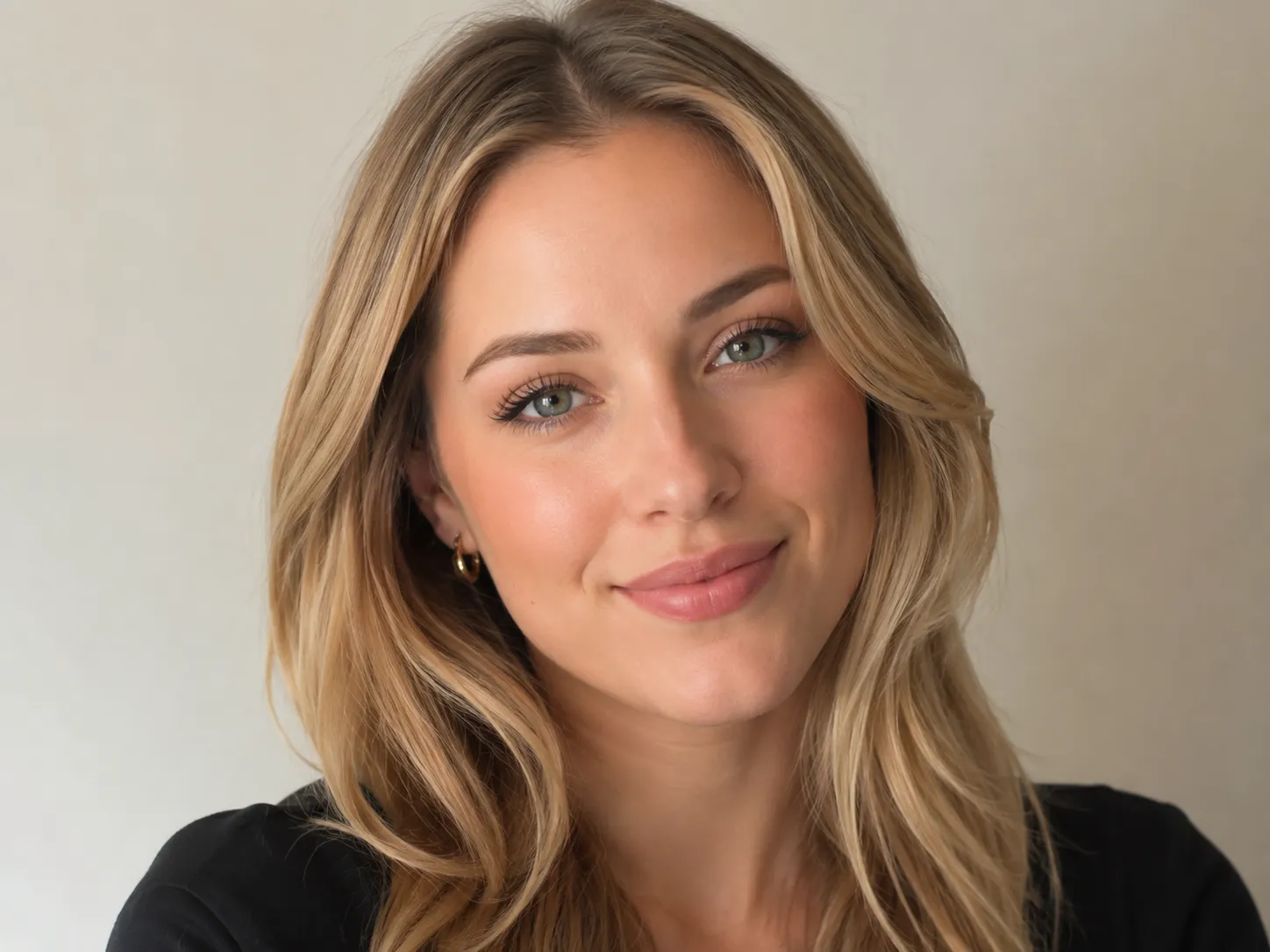 Before
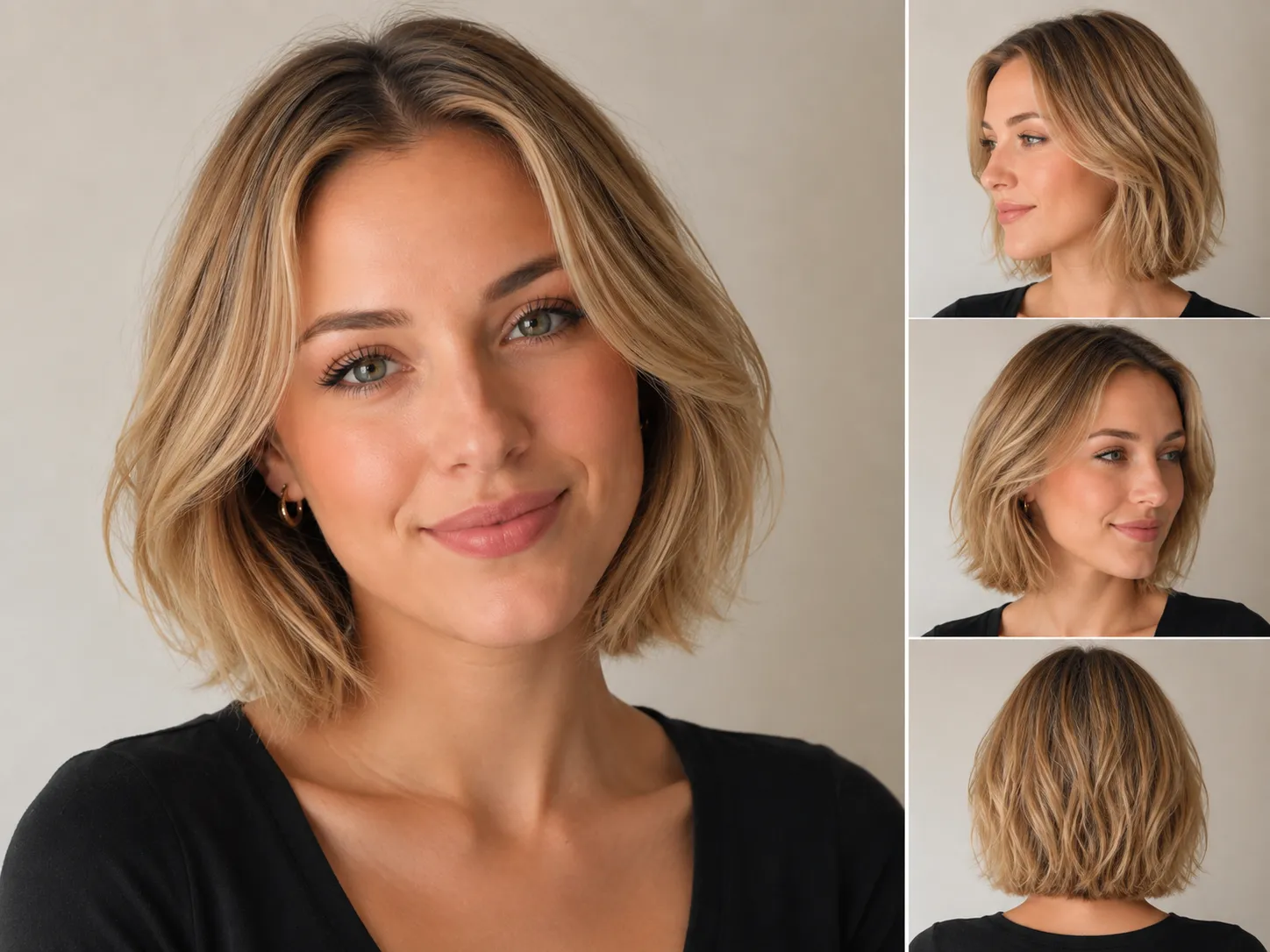 After
AfterYour AI hairstyle previews will appear here.
Mode
2. Choose hairstyle
12 stylesWhat Makes Our AI Hairstyle Changer Your Best Choice?
Try specific hairstyle ideas, compare several results, and save the ones you want to discuss with a stylist.
Works for specific haircut ideas
Try short hair, long layers, color changes, bangs, fades, curls, classic cuts, trendier looks, or a custom hairstyle you type yourself.
Your photo is used for your preview
Uploaded photos are used to generate the hairstyle preview you request. We do not use uploaded photos for unrelated purposes or to train AI models.
Side and back views
Review the selected hairstyle from more than one angle, including side and back views, so it is easier to compare and discuss.
Try several styles in one run
Select up to 10 hairstyles and generate the previews together, so you do not have to repeat the same upload again and again.
Hair choices are easier when you can see them on yourself
The AI hairstyle generator turns a vague haircut idea into a selfie-based preview. Compare a few options before you book a cut, color, perm, or style change.
Why it is hard to choose
Reference photos do not show your face
A bob, pixie, fade, fringe, curl pattern, or layered cut can look different on your face, hair length, and hair density.
It is hard to judge bangs, layers, or color
A small change around the hairline, fringe, volume, curls, highlights, or color tone can change the whole look.
Comparing ideas gets messy
Saving salon references and asking friends can still leave you with the same question: which one actually fits you?
Salon conversations can be vague
A preview makes it easier to talk about length, texture, fade height, bangs, curl shape, or color details.
How the AI hairstyle changer helps
Preview the haircut on your own selfie
Upload a clear portrait and generate a preview that keeps your face, pose, lighting, and background mostly the same.
Pick a style or describe one
Try the built-in styles, or use Custom for a cut, hair color, highlights, bangs, layers, curls, perm direction, or fade.
Compare up to 10 hairstyle previews
Select multiple styles in one run, then compare the images before you take one idea seriously.
Save a reference for your stylist
Download the result and use it to talk through length, shape, texture, color, and upkeep.
What is an AI hairstyle changer?
An AI hairstyle changer lets you try on hairstyles using your own portrait. Upload a selfie, choose from 26 built-in styles, or enter a custom haircut idea. You get previews that make the decision less abstract.
Real haircut choices
Choose styles such as Airy Bob, Soft Pixie, Curly Wolf Cut, French Crop, Low Taper Fade, and Modern Mullet, or describe your own look.
Selfie-based preview
The AI hair changer keeps the focus on your face, pose, lighting, and background while changing the hair.
Several previews at once
Select up to 10 hairstyles and compare them before a haircut, color appointment, or image change.
Useful before you change your hair
Made for the moment when you are thinking about short hair, bangs, curls, a new color, or a more polished work look, but you are not ready to guess.
Better than guessing from reference photos
Celebrity photos and salon boards help, but they are not your face. A selfie preview gives you a clearer starting point.
Compare before you commit
Try up to 10 built-in or custom styles, save the ones you like, and see which direction still feels right after a second look.
Easier salon conversations
Use the preview when you talk about length, bangs, layers, color, fade height, texture, and daily styling.
How to try on hairstyles with haircut AI
One selfie is enough to start comparing haircut ideas before an appointment.
Upload a clear selfie
Use a front-facing portrait with even light, a visible hairline, and minimal filters.
Choose a hairstyle
Pick one of the built-in styles, or use Custom to describe a cut, color, highlights, bangs, layers, curls, or fade.
Generate the preview
The AI hairstyle generator changes the hair and keeps the rest of the portrait as close to the original as it can.
Download and compare
Save the result and generate another style when you want to compare options.
What this hairstyle AI tool includes
This tool is for trying hairstyles directly. If you want recommendations first, use hairstyle analysis.
26 built-in hairstyles
Includes bob, bangs, pixie, shag, wolf cut, crop, quiff, fade, mullet, taper, and side part options.
Custom hairstyle prompt
Use Custom when the built-in list does not have the exact style you want. Add hair color, highlights, bangs, curls, or fade details.
Keeps the portrait recognizable
The prompt asks the model to keep your facial features, expression, pose, lighting, and background.
10 credits per preview
Each preview uses 10 credits. Failed or canceled previews return credits automatically.
Downloadable preview
Download the generated image for haircut planning, salon discussion, or comparing options later.
Works with clear selfies
The best results come from portraits where the face outline, hairline, and current hair are visible.
AI hairstyle changer FAQ
Practical answers before you upload a selfie.
Try the hairstyle before you commit
Upload a portrait, choose or describe a haircut, and generate an AI hairstyle preview before you cut, color, curl, or update your look.