
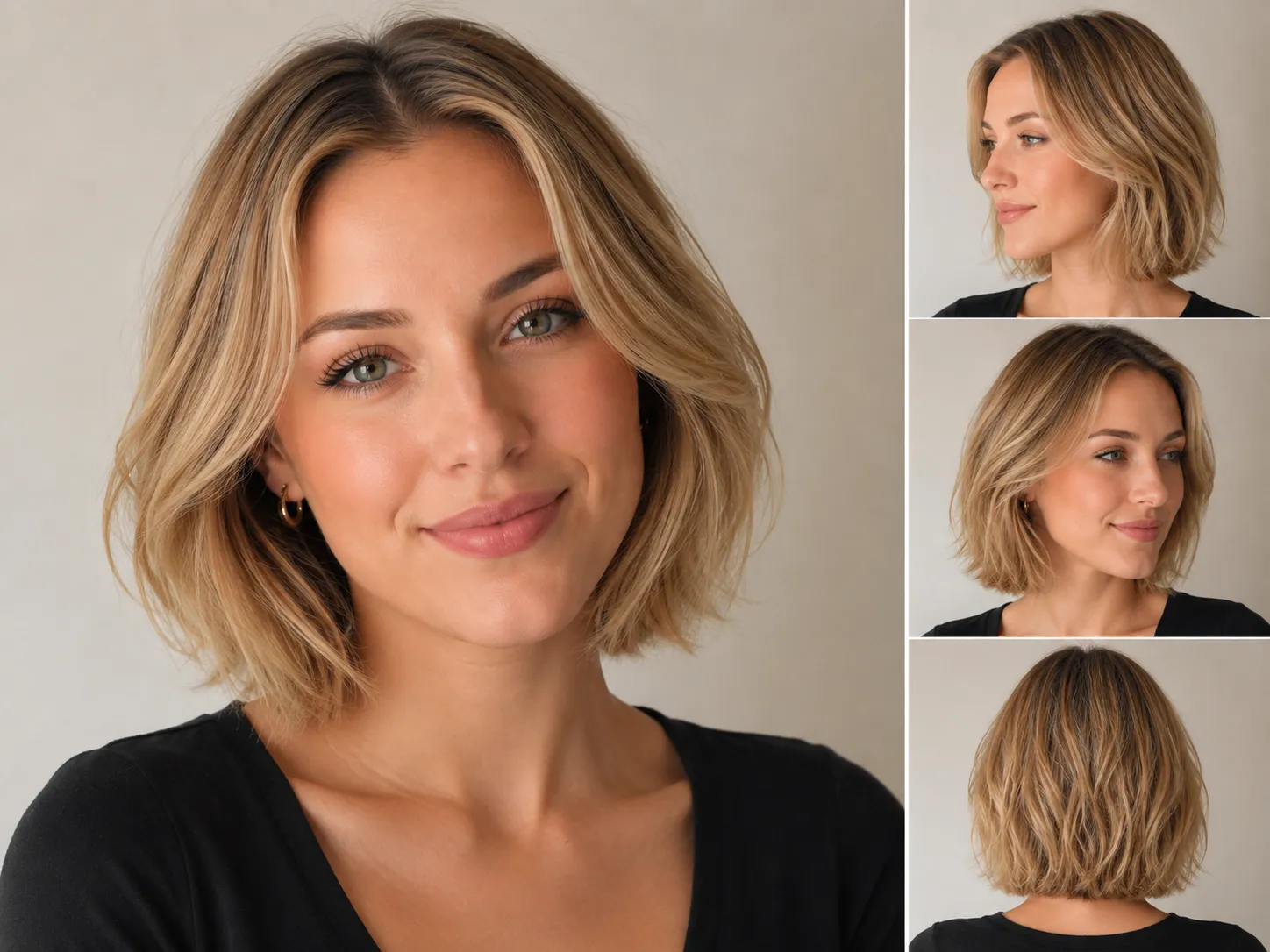
French Bob
Short, soft, and intentionally compact, often worn with natural texture or a fringe.
- Length:
- Lip to chin
- Shape:
- Softly blunt or lightly textured
- Good starting point for:
- A distinct short-bob look
Thinking about getting a bob? Upload a portrait, choose one or more bob presets, upload a bob hairstyle reference, or describe a custom bob. Compare the length, shape, and fringe on your own photo before you cut it.
1. Upload portrait
Your hairstyle preview
 Before
 After
Your AI hairstyle previews will appear here.
Choose a mode
2. Choose a bob style
8 stylesA bob haircut filter lets you try different bob styles on your own photo. Our filter uses a cutting-edge AI image model that works with the full portrait, including your face, hairline, head shape, pose, and lighting. It can follow the details that separate one bob from another, such as the clean edge of a blunt bob, the angle of an A-line cut, soft layers, curls, or bangs. The result is a detailed preview that feels personal to your photo and gives you a clearer way to compare lengths and shapes before a haircut. AI results will vary, and your final salon result may look different from the preview.
The model uses details from the whole portrait to produce a bob preview with natural shape, texture, and lighting.
Your face, pose, and lighting guide the result, helping the hairstyle fit naturally into the original portrait.
See how each style changes the length and outline, from blunt ends and angled cuts to layers, curls, and bangs.
Start with the length you are comfortable with, then compare the outline, layers, texture, and upkeep.
Short, soft, and intentionally compact, often worn with natural texture or a fringe.
A precise one-length perimeter creates a clean, polished shape.
The safer first step if you want a bob shape without losing too much length.
The ends meet the chin, making the jawline a clear part of the silhouette.
A shorter back and longer front create a forward-moving silhouette.
Internal or visible layers reduce weight and add movement to the outline.
The bob outline is shaped around curl pattern, volume, and shrinkage.
A fringe changes how the bob frames the forehead, cheekbones, and eyes.
A face shape does not rule a bob in or out. The useful question is where the ends sit and what visual line the cut creates.
Try a bob that finishes below the widest part of the cheeks, or compare an A-line shape with a longer front.
Compare a softly layered or slightly longer bob if you do not want a blunt line to emphasize the jaw.
A chin-length bob, side volume, or fringe can create a shorter and wider visual balance.
Use the try-on to compare where the ends and fringe draw attention around the chin and cheekbones.
The same reference photo can behave very differently on fine, thick, straight, wavy, or curly hair.
A blunt perimeter can help the ends look denser. Too many layers may remove weight you want to keep.
Internal layers can remove bulk while preserving the visible bob outline.
A softly textured or layered bob can work with movement instead of requiring a rigid finish.
Plan the finished length around shrinkage and ask a stylist how the shape will sit when dry.
Use the bob haircut simulator to compare shape and proportion before discussing the cut with a stylist.
Choose a front-facing photo where your face outline and current hair are visible.
Select one or more bob presets, upload one bob hairstyle reference, or describe the exact length, layers, bangs, and finish in Custom bob.
Each selected preset creates a separate preview. Reference photo and Custom bob each create one preview. Every preview uses 10 credits.
Use the result as a planning reference, not a guarantee of the final salon result.
Useful details to consider before choosing a length and booking a cut.
Upload a portrait, compare bob lengths and shapes, and save a preview for your haircut conversation.